
APPLIES TO: Admins
Last updated: May 18, 2026
Sales Details Report
- To access the report, log in to your Upper Hand account and hover over the main navigation bar on the left hand side, click Reports > Sales
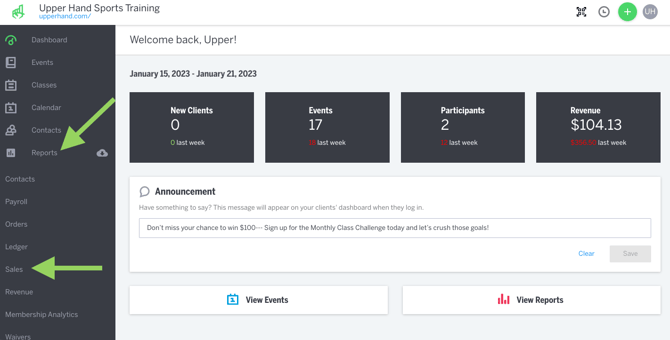
- You will see a breakdown of your Sales for the inputted time period based on Payment Type, Product Type, Retail Category and Online vs. In-Store Sales.
- By selecting the "Export" button you'll receive a .csv file of the section selected